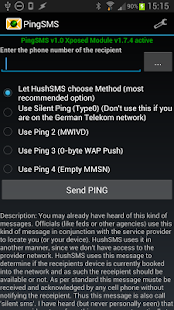
PingSMS
If it is not you will receive a notification as soon as it is available again.NOTE: I have a 24h refund policy extending the usual 15 minutes from Google.
If you can't get to work send me an email.
I will try to help you.
If we cannot get it running on your device I will refund your money!
This is a GSM only App.
It will not work on CDMA Networks.
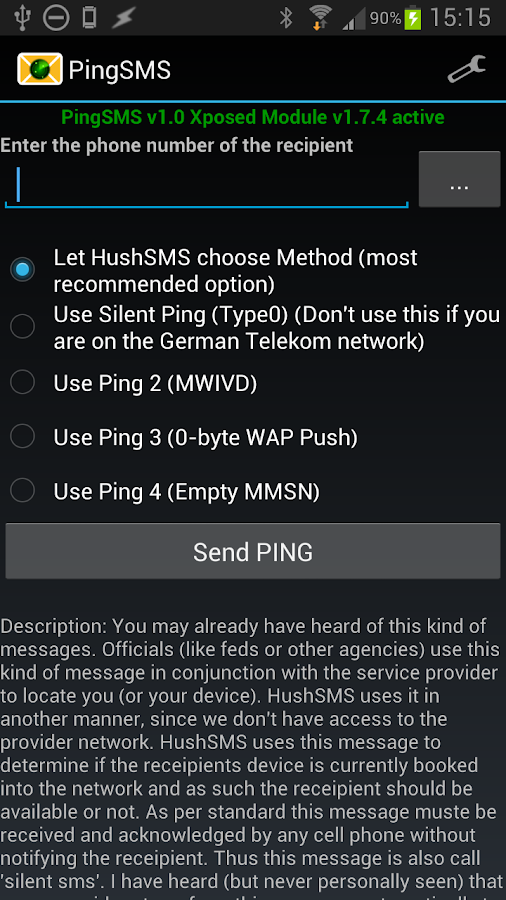
You may already have heard of this kind of messages.
Officials (like feds or other agencies) use this kind of message in conjunction with the service provider to locate you (or your device).
HushSMS uses it in another manner, since we don’t have access to the provider network.
HushSMS uses this message to determine if the receipients device is currently booked into the network and as such the receipient should be available or not.
As per standard this message muste be received and acknowledged by any cell phone without notifying the receipient.
Thus this message is also call “silent sms”.
I have heard (but never personally seen) that some providers transform this message automatically to an empty default message.
Thus, if this is true, the senders number is shown, but no one will guess why an empty message was sent.
It works on devices where the sendRawPdu API Method is present which is only on HTC Devices with stock ROM and Sense UI.It will also work on Android >= 4.0 devices which have the Xposed Framework installed.
If that is the case for your device please download and install the Xposed Helper Module from here: https://www.silentservices.de/android-hushsms-xposed-helper-module/The current version of the Xposed Module is 1.7.8 which is the minimum version required by Ping SMS to work properly.
If you have a HTC Smartphone with Sense UI you will not need the Xposed Module!
A full description of all kind of messages can be found here: https://www.silentservices.de/products/android-hushsms/Ping SMS is also part of HushSMS which can be found on my Homepage.
Graphics form http://www.clker.com (Mainly form User: OCAL) Thanks!
About PingSMS
- Package name (App ID)
- com.silentservices.pingsms
- Available on
- Google Play
- Price
- Free
- Version
- v1.0.1
Looking for the PingSMS APK?
The safest way to get PingSMS (com.silentservices.pingsms) on your Android device is to install it directly from Google Play — you'll always get the latest official version, automatic updates, and no risk of modified or infected APK files from third-party sites.
Social Features
Connect and share with friends and the community.
Productivity Tools
Boost your productivity with powerful tools and features.
Financial Tools
Manage your finances and track your expenses easily.
PingSMS in Aktion sehen
Frequently Asked Questions
Is PingSMS free?
Yes, PingSMS is free to download and install on Android through Google Play.
How do I install PingSMS on Android?
Open Google Play on your Android phone or tablet, search for PingSMS or tap the Google Play button on this page, then tap Install. The app downloads and installs automatically.
What is com.silentservices.pingsms?
com.silentservices.pingsms is the App ID (package name) of PingSMS on Google Play. Every Android app has a unique package name, and it is the safest way to verify you are installing the official app.
Is PingSMS safe to download?
Installing PingSMS from Google Play is the safest option: you get the official version, verified by Google Play Protect, with automatic updates. Avoid APK files from unofficial third-party sites.

Get PingSMS Today
PingSMS for Android — free download on Google Play.
Compatible with Android phones and tablets — available on Google Play.
Frag die KI zu dieser App
Erhalte sofortige Antworten zu Funktionen, Tipps und mehr.